Overview
ETL job priority in ReadyWorks is a critical system that dictates the execution order of data processing jobs, ensuring data integrity, consistency, and availability for downstream processing and analytics.
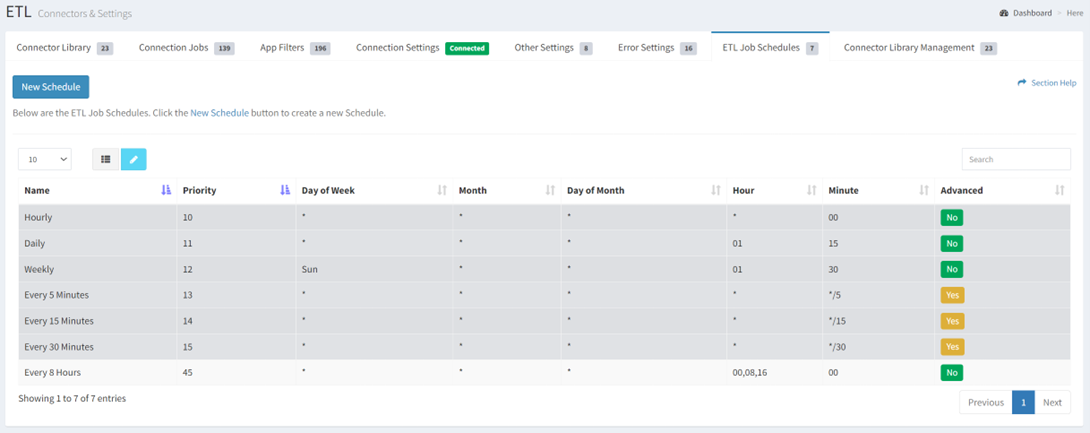
Job Scheduling Management
-
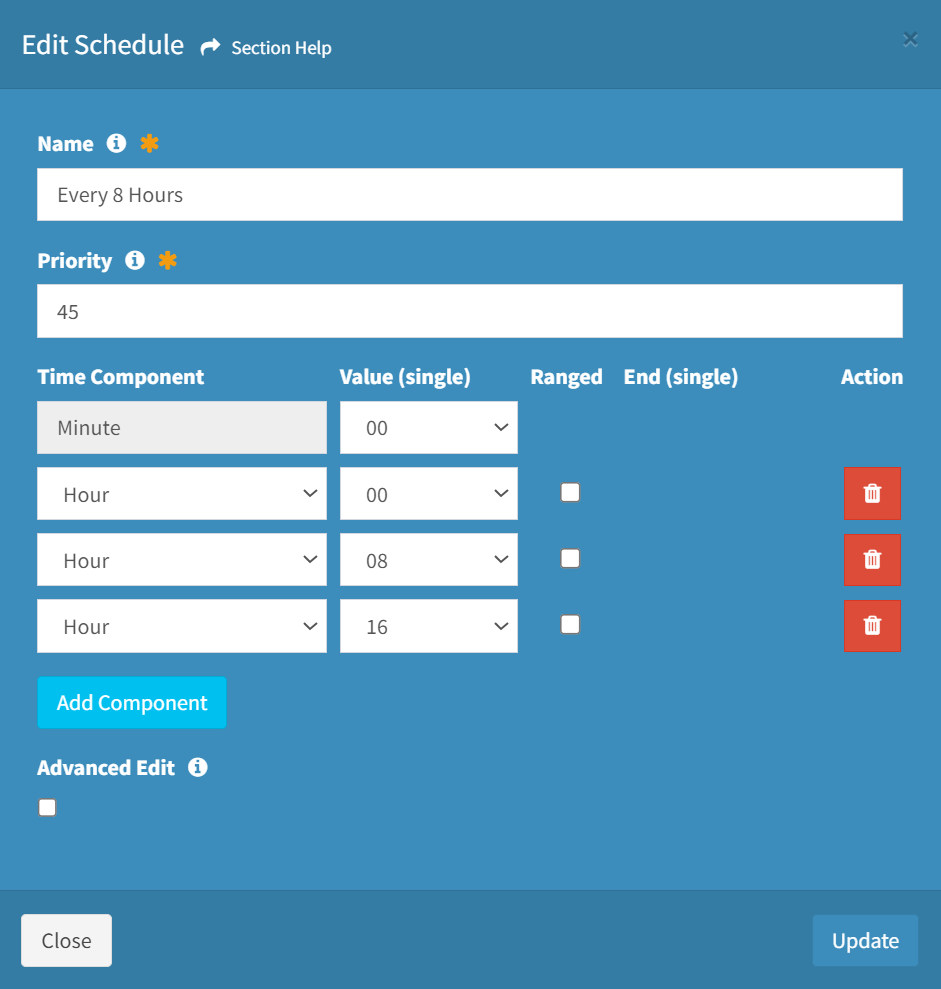
- Edit ETL job schedules by selecting a job schedule (row) and clicking the Edit Schedule button on the toolbar
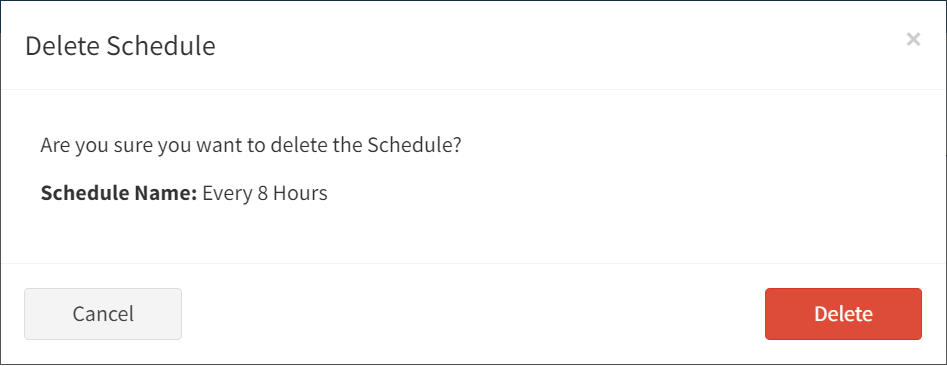
- Delete ETL job schedules by selecting a job schedule (row) and clicking the Delete Schedule button on the toolbar
Processing Model: Parallel and Sequential Execution
ReadyWorks ETL jobs operate in a hybrid model:
-
Parallel Execution: Multiple jobs can run simultaneously when configured to run in the background
- Default allows 3 jobs to run in parallel
- This limit can be adjusted based on system memory capacity (e.g., ReadyWorks Developers up to 15 for test environments)
-
Sequential Ordering Within Parallel Processing:
-
When more jobs are queued than can run in parallel, the system determines execution order based on:
- Scheduled time (jobs scheduled earlier run first)
- For jobs scheduled at the same time, priority number determines which jobs get allocated to the available parallel slots first
-
When more jobs are queued than can run in parallel, the system determines execution order based on:
-
Sequential Data Processing:
- While multiple jobs may run simultaneously, the priority system ensures data dependencies are respected
- Jobs with dependencies are properly sequenced to maintain data integrity
- This prevents race conditions where one job might need data from another job that hasn’t completed
Why ETL Job Priority Matters
The priority system ensures that data is:
- Complete, with dependent jobs properly sequenced
- Consistent, so data makes sense when viewed over time
- Available for downstream ReadyWorks processing and analytics
ETL Database Structure
- ETL data is stored in staging tables that maintain the schema of source system tables
- The ETL Module decomposes JSON responses from the ETL pipeline
- Staging tables serve as a “litmus point” to determine if data issues are upstream or downstream
Troubleshooting with ETL Staging Tables
When investigating data discrepancies:
-
If ReadyWorks UI data conflicts with expected information:
- Check Staging Table data first
- If Staging Table data matches the discrepancy, investigate upstream of ReadyWorks
- If Staging Table data shows expected values but UI shows different values, investigate Data Mappings
Special Note on Asset Rules
Asset Rules operate differently from standard ETL jobs:
- Asset Rules do not use CRON jobs or follow ETL Job Scheduling/Priority
- Asset Rules are event-triggered rather than schedule-based
- They run whenever a value in the data changes
- They immediately execute the associated rule and subsequent action without waiting for scheduled intervals
Importance of ETL Job Priority
Data Integrity and Processing Order
- Proper job prioritization manages dependencies and prevents race conditions
- The system balances parallel execution (for efficiency) with proper sequencing (for data integrity)
- Dependencies are respected, ensuring data is written properly
ReadyWorks advises Administrators to Use Caution when Running ETL or CRON jobs out of sync to maintain the data integrity.
Summary
The ETL job priority system ensures that data processing occurs with the right balance of efficiency (through parallel processing) and proper sequencing (through priority management). This supports business processes while maintaining system stability and data integrity.